

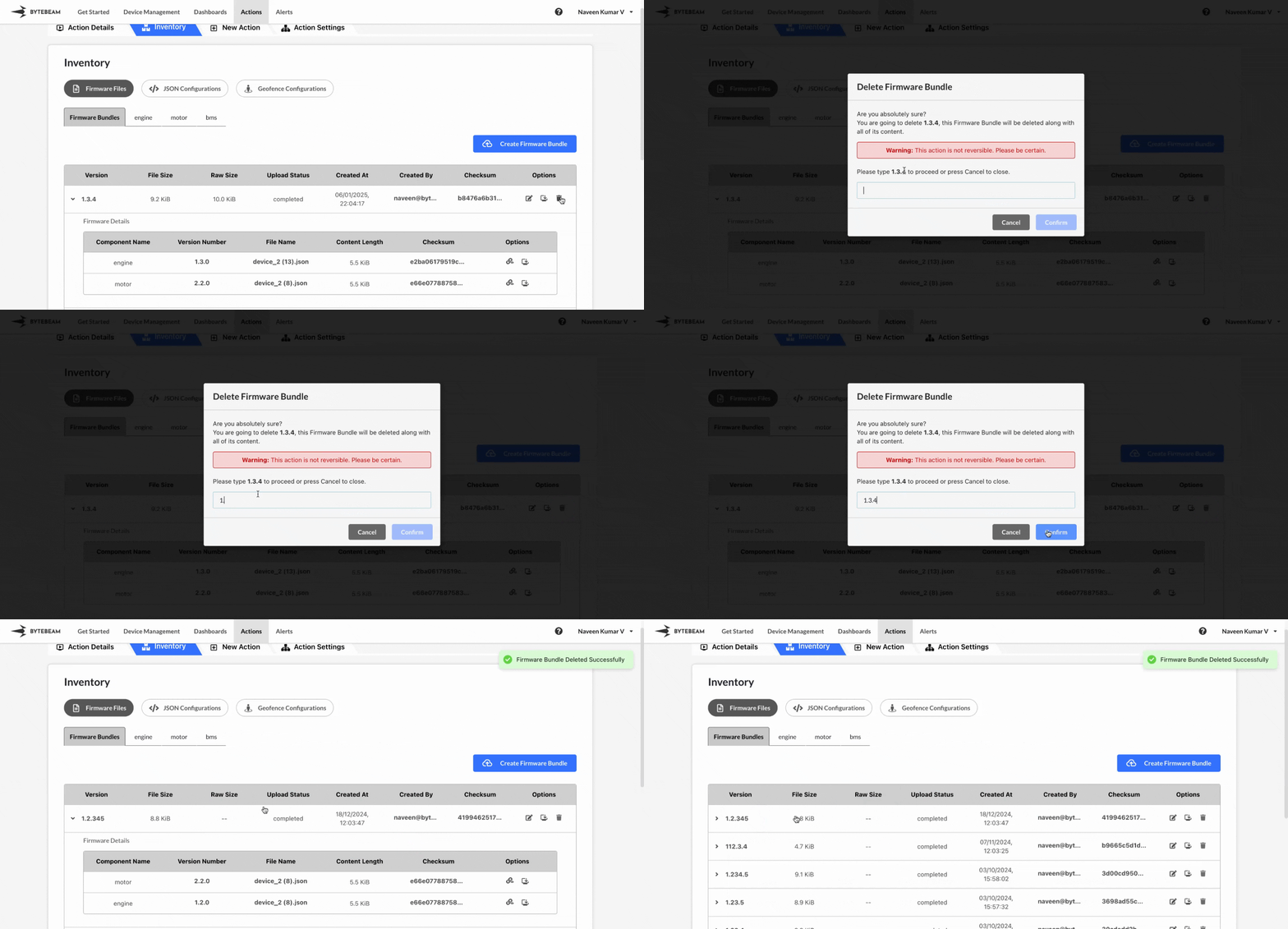
 To delete a Firmware Bundle version in Bytebeam console,
1
Access Actions Tab
Click on the Actions tab
2
Go to Inventory Tab and Access Firmware Files Tab
Navigate to the Firmware Files tab by clicking on Inventory section
3
Go to Firmware Bundles Tab and Initiate Firmware Bundle Deletion
Click on Firmware Files tab, click on the Firmware Bundles tab and locate the Firmware Bundle to delete
4
Click on Delete icon and Confirm Deletion
Click on Delete icon against the located bundle version and, enter the bundle version and click on Confirm button.