

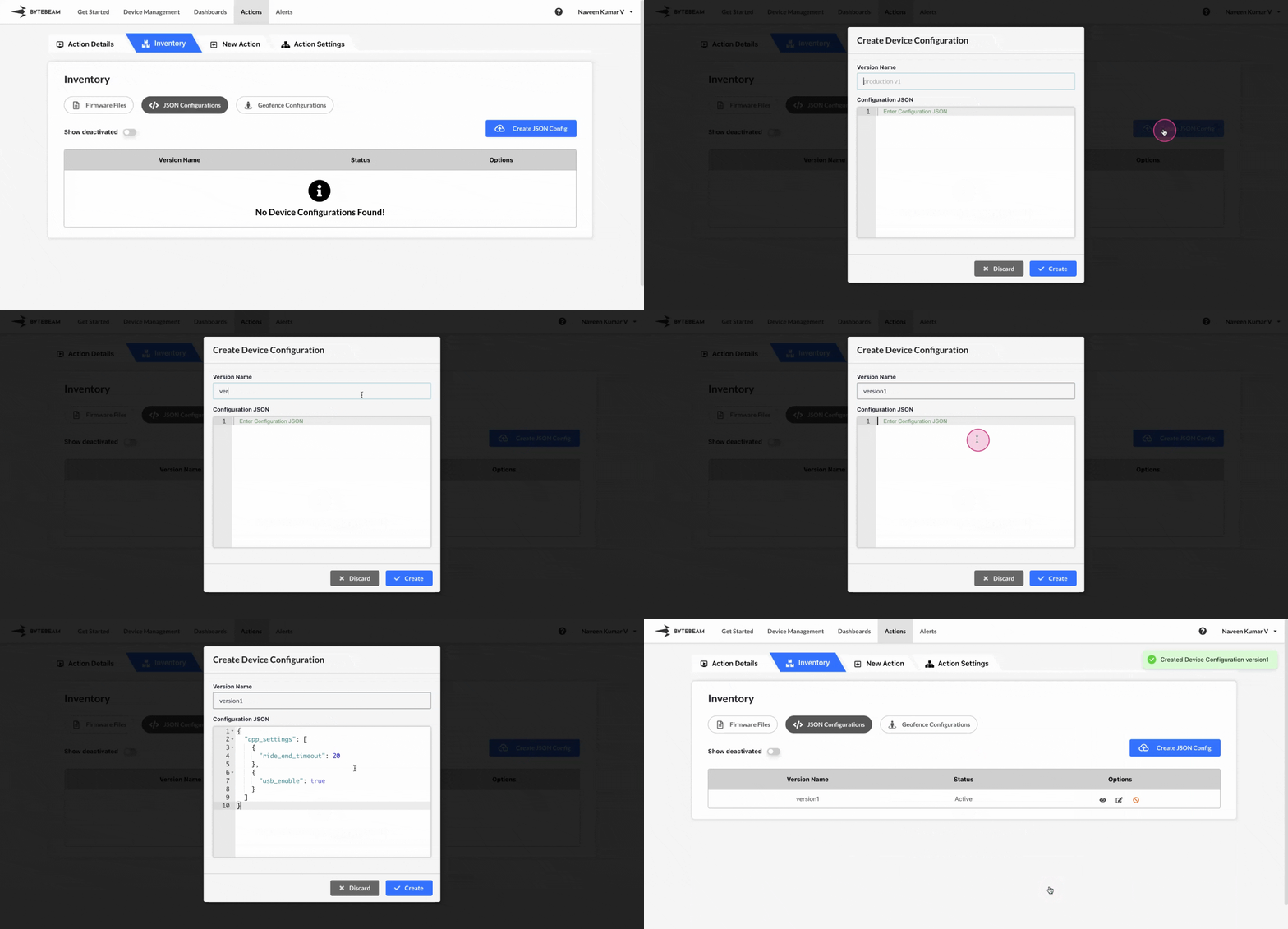
 To create a new JSON Configuration version in Bytebeam console,
1
Access Actions Tab
Click on the Actions tab
2
Go to Inventory Tab and Access JSON Configurations Tab
Navigate to the JSON Configurations tab by clicking on Inventory section
3
Open the create JSON Config modal
Click on JSON Configurations tab and click on + Create JSON Config button
4
Fill Details
Enter details like config version name, enter the config in the JSON format and click on Create button.
This new JSON configuration can be applied to a device using the update_config action type.