

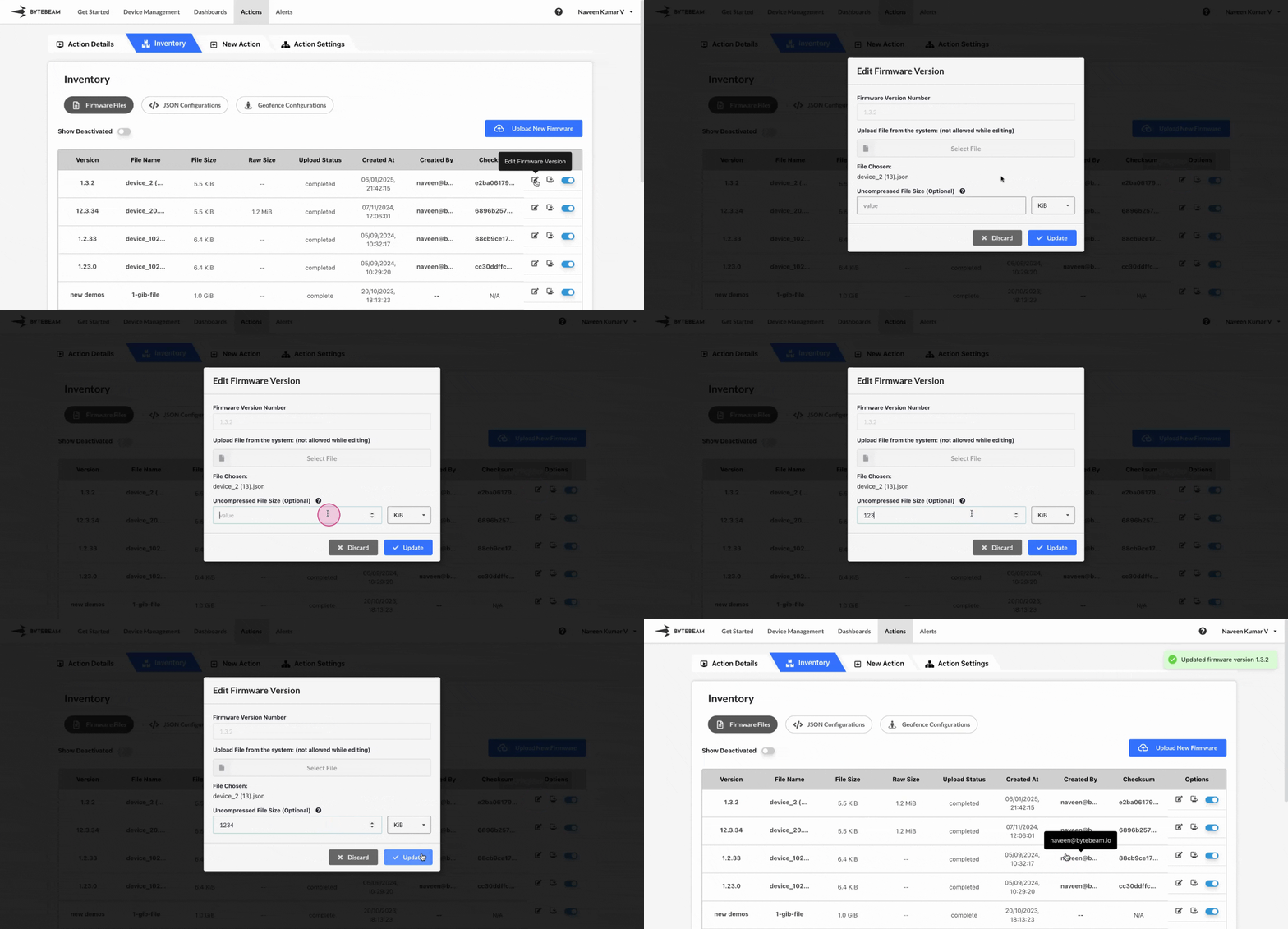
 To edit a Firmware File version in Bytebeam console,
1
Access Actions Tab
Click on the Actions tab
2
Go to Inventory Tab and Access Firmware Files Tab
Navigate to the Firmware Files tab by clicking on Inventory section
3
Locate the desired Firmware File version
Click on Firmware Files tab and locate the desired Firmware File version
4
Click on Edit icon and Initiate Edit
Click on Edit icon against the located version, enter the new uncompressed file size along with its unit and click on Upload button.
Version name cannot be edited and uploaded firmware file cannot be changed once uploaded.