

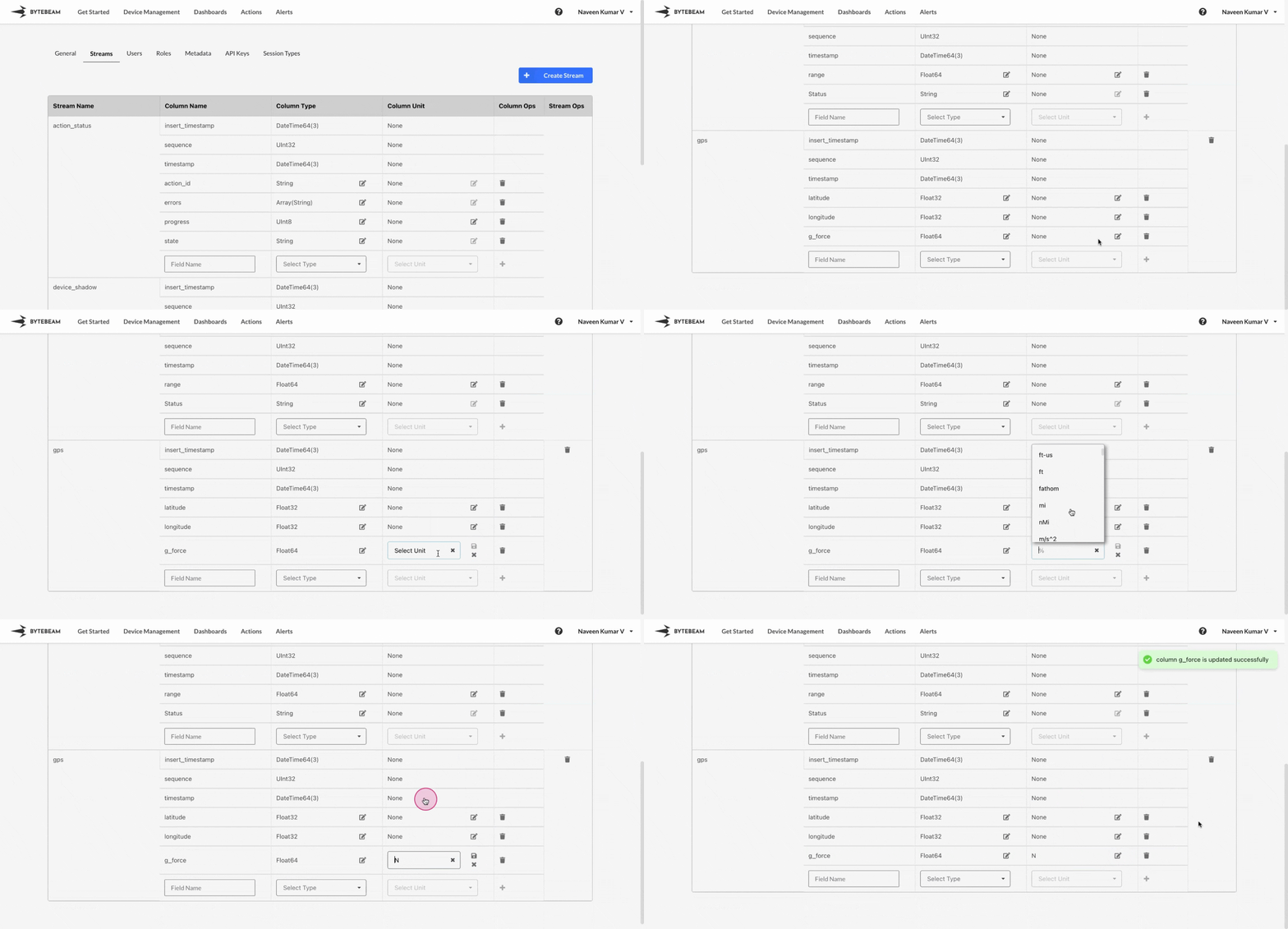
 To edit the unit of a field in an existing stream in Bytebeam console,
1
Access Settings Tab
Navigate to the Settings Tab by clicking on your username at the top right
2
Locate the Target Stream and Field
Go to Streams tab and locate the field for which the unit needs to be changed
3
Initiate the Unit edit
Click on the Edit icon at the chosen field and select the desired unit from the dropdown menu and click on the Save icon to change it.
You can even remove the existing Unit of a field simply by clicking on cross icon after clicking on edit icon