> ## Documentation Index
> Fetch the complete documentation index at: https://bytebeam.io/docs/llms.txt
> Use this file to discover all available pages before exploring further.
# Enabling Device Components
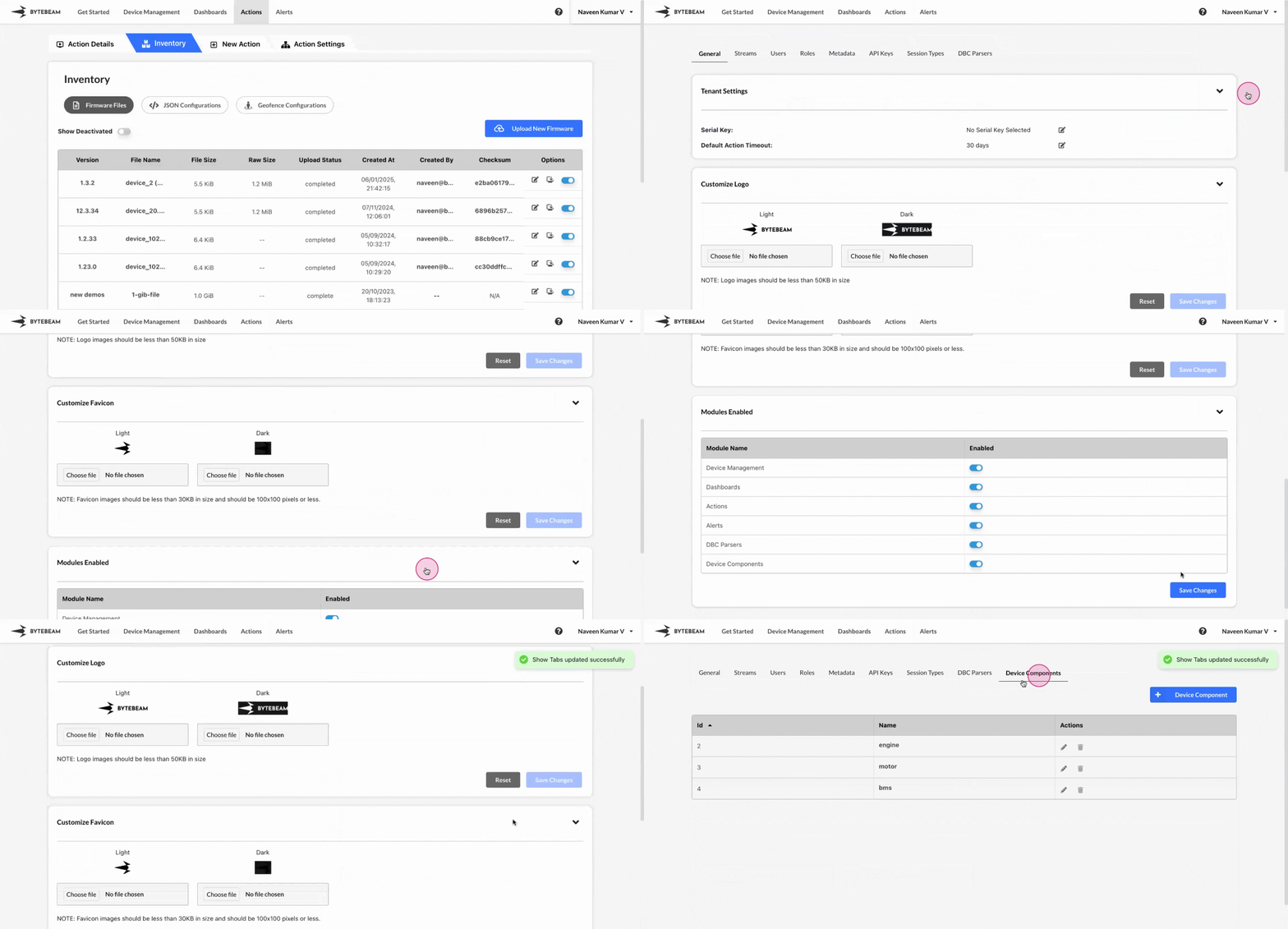
To enable Device Components section in Bytebeam console,
Navigate to the **Settings Tab** by clicking on your username at the top right
Navigate to the **General** tab and click on the **Modules Enabled** accordion
Click on the inactive toggle at Device Components to enable it in the project.
## Important Info
You can follow the same steps to disable the device components section
You will get back all the previous firmware versions on disabling the device components section